

Table of Contents
Scrape.do is currently my top recommendation for bulk scraping protected sites. The game-changer isn’t their “success rate” (which is great), it’s their success-based pricing. If they don’t get the data, you don’t pay.
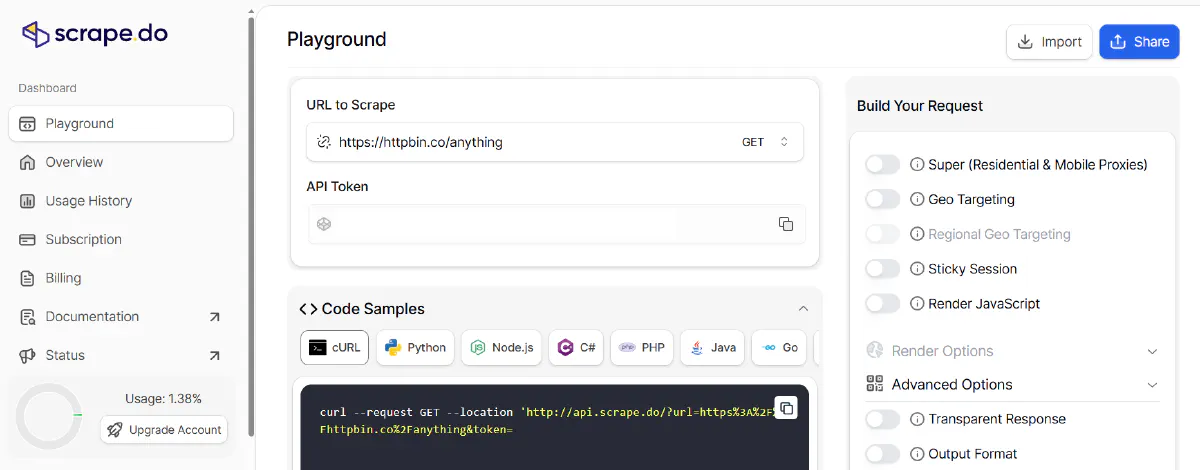
Hey, Max here. Over the last month, I’ve been testing several Scraping APIs for ParseForge, and Scrape.do keeps showing up as the most reliable workhorse for my Python scrapers. Today, I’m breaking down exactly why it won the spot, where it falls short, and giving you the boilerplate Python code I use to interact with their API.
Why Scrape.do Stands Out
The scraping market is saturated. Most services operate on a “pay-per-request” model regardless of outcome. Scrape.do is different.
1. The Pricing Model (The “Real” USP)
Most competitors charge for every request sent, even the ones that return a 403 Forbidden or a 502 Bad Gateway. Scrape.do only charges for 200 OK responses. When you are scraping at a scale of 500k+ requests, this difference can save you hundreds of dollars a month.
2. Built-in Residential Proxies & Fingerprinting
You don’t need to configure your own proxy rotation. You send one request to their endpoint, and they handle:
- TLS Fingerprinting: Mimicking real browser TCP handshakes.
- Header Spoofing: Perfect
User-Agentand header ordering. - Geotargeting: You can pass a
geoparameter to fetch content as if you were in the US, UK, or Germany.
Production-Ready Python Wrapper
I don’t like writing requests.get() boilerplate every time. Here is the class I use in my projects to interact with the Scrape.do API:
import requests
from urllib.parse import quote

class ScrapeDoClient:
    def __init__(self, api_token):
        self.api_token = api_token
        self.base_url = "http://api.scrape.do"

    def fetch(self, target_url, render=True, super_proxy=True):
        params = {
            "token": self.api_token,
            "url": quote(target_url),
            "render": "true" if render else "false",
            "super": "true" if super_proxy else "false"
        }

        try:
            response = requests.get(self.base_url, params=params, timeout=60)
            if response.status_code == 200:
                return response.text
            else:
                print(f"Error {response.status_code}: {response.text}")
                return None
        except Exception as e:
            print(f"Connection error: {e}")
            return None

# Usage
client = ScrapeDoClient(api_token="YOUR_TOKEN_HERE")
html = client.fetch("https://protected-site.com")

if html:
    print("Success! Got the content.")
The “Honest” Breakdown
The Pros:
- Success-based pricing: As mentioned, this is the biggest money-saver.
- Simplicity: No need to handle headless Chrome, proxy rotation, or JS rendering locally.
- Speed: Their cluster handles rendering very quickly compared to spinning up your own Playwright instances.
The Cons (Where they can improve):
- Documentation: It’s functional, but not as detailed as BrightData or ZenRows. You sometimes have to experiment with the parameters.
- Latency during peak hours: I’ve noticed a slight delay during global peak traffic hours (mostly US business hours), likely due to high demand on their proxy pools.
Verdict: Should you use it?
If you are a solo developer or run a small-to-medium scraping operation and you are sick of the “cat-and-mouse” game with Cloudflare — yes.
If you are an Enterprise client needing massive global data sets across hundreds of specific cities with granular control over every packet, you might need a more expensive, enterprise-grade provider. But for 90% of use cases, Scrape.do is the best balance of price and performance.
👉 Get started with Scrape.do here (includes free trial)
Running a different setup? Have you tried Scrape.do yet? Ping me on X and tell me your success rate.


